


Piano Tap: Rush Song Game
4.77.00 Reviews
App Specs
- Version
- 2.2.0
- Updated On
- License
- Free
- Downloads
- 500,000+
- Developer
- NekoBeat Studio: Cozy Cats & Cute Music Games
- Categories
- Music
- Platform
- Android
Screenshots

 Analysis by AppCompare
I judge a rhythm game less by how many songs it claims to offer and more by whether its central action feels satisfying after the first few minutes. Piano Tap: Rush Song Game builds its appeal around a familiar challenge: follow a track, watch the tiles approach, and tap at the right moment. That makes it easy to understand, but the real test is whether the music and timing keep me engaged rather than turning every session into the same reflex exercise.
A music game built around timing
This is a music game from NekoBeat Studio: Cozy Cats & Cute Music Games, and its central promise is tapping along to songs rather than learning piano technique. The distinction matters: I’d treat it as a quick rhythm challenge, not as a tool for practicing an instrument. Its musical themes include EDM, anime songs, and TikTok hits, giving it a more pop-culture-leaning feel than a traditional piano tutor or a game focused mainly on classical pieces.
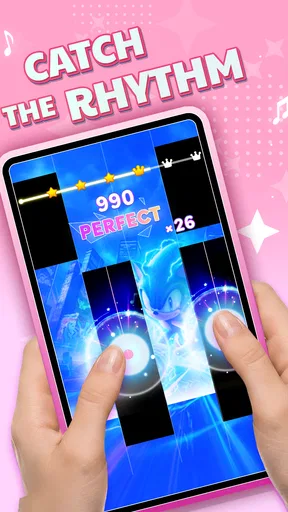
In practice, the simple tap-and-follow idea is the strongest reason to try it. You don’t need to know music theory or have prior rhythm-game experience to understand what the game is asking of you. I can see the appeal for a short break: start a track, focus on its incoming tiles, and use the music as a cue for keeping a steady rhythm. That directness also means the game’s enjoyment depends heavily on whether its song selection suits your taste.
What tapping along feels like
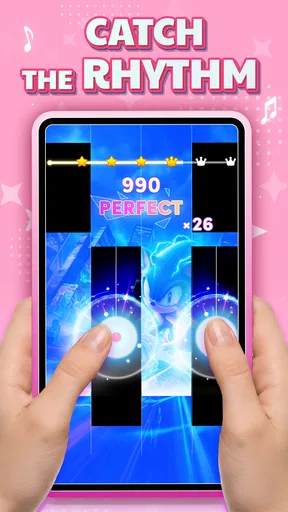
The basic interaction is easy to explain, but keeping up becomes more demanding as the pace rises. At first, I’d focus on accuracy rather than speed. Trying to chase every tile with hurried taps can make a lively track feel frantic; settling into the beat gives me a better chance of reacting consistently. That small change in approach is useful for newcomers who assume the goal is simply to tap as fast as possible.
Because this kind of play asks for attention as well as quick fingers, the phone’s position and the way you hold it can affect comfort. I’d play with the screen steady and both hands available when a track gets busy, rather than trying to tap one-handed while walking or juggling other things. That is not a special feature; it’s a practical habit that makes a timing game easier to enjoy and safer to fit into a normal day.
Where the music choice helps
The focus on EDM, anime music, and TikTok hits gives the game a clear identity. If those styles are already in your regular rotation, recognizable musical energy can make each run feel more inviting than tapping through abstract sounds. I also like that the basic format is approachable for someone who wants to play along without committing to a long story, a complicated control scheme, or a serious practice routine.
There is a trade-off in that focus. A player looking specifically for a broad classical catalogue, a realistic piano experience, or detailed music lessons may be better served by a different kind of app. This is built around reacting to tiles in time, not around teaching keys, scales, or performance. I’d choose it for a quick music-led challenge, and choose a piano-learning app when the goal is to build a real musical skill.
Worth Reading Before You Choose

EA SPORTS FC Mobile 26 Is a Bigger Football Game, but It Takes Time

Flipboard Shows What News Apps Must Do Beyond the Feed

Switching to Android Auto Means Rethinking Your Driving Routine

Google Calendar Makes a Crowded Week Easier to Manage

Ludo King Makes the Most of the Minutes Between Plans

Baby Panda World Brings Quick Play to Modern Phones, but Its Game Library Feels Busy
Good moments to fit in a session
A realistic use for me would be a short break between tasks: I can play a track or two, give my attention to the beat, then put the phone down without needing to remember a long sequence of objectives. The same compact rhythm format can suit a quiet wait or a relaxed evening when I want something interactive but not mentally involved in the way a strategy game can be. For the best experience, I’d save faster or more demanding play for a moment when I can give the screen my full attention.
It is less suitable when I need a hands-free activity, when I’m in a noisy place and can’t comfortably follow the music, or when I want an open-ended music player rather than a game. Rhythm tapping also asks for repeated screen contact, so it won’t be a good fit if I’m looking to rest my hands. Those are ordinary limitations of this style of play, but they help set expectations before downloading.
Getting Started with Piano Tap: Rush Song Game
First things first, downloading Piano Tap: Rush Song Game was a breeze. Available on both Android and iOS, the game doesn’t take up much space, which is a relief for those of us constantly battling storage issues. Once installed, I was greeted with a simple, yet visually pleasing interface. No overwhelming menus or confusing settings—just straightforward fun waiting to happen.
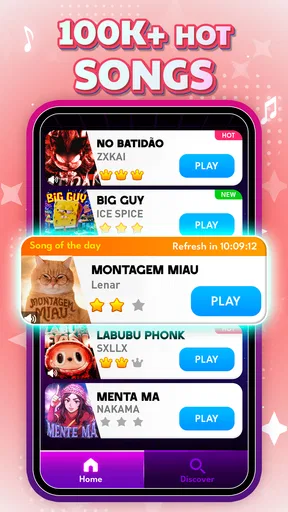
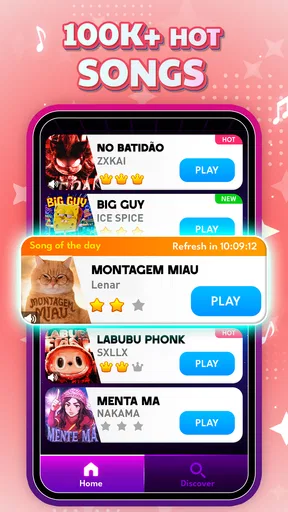
Entering the game, you’re immediately drawn into a world of music. The opening screen gives a sneak peek at the wide variety of songs you can tap along to. From pop hits to classical masterpieces, there’s something for every musical taste. The game’s simplicity is a huge plus—you’re not bogged down with complex tutorials. Instead, you’re gently guided into the rhythm of things. Literally.
Gameplay Mechanics
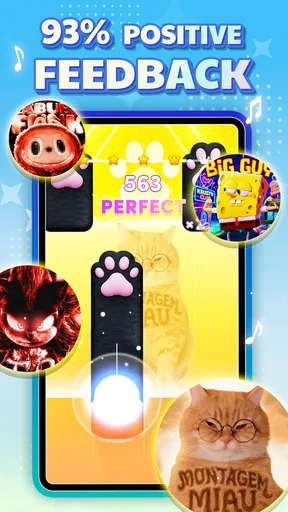
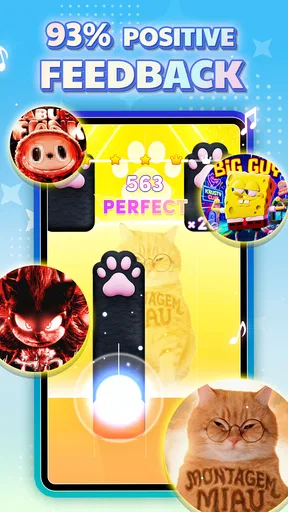
Now, let’s talk about the gameplay itself. The premise is simple: tap the black tiles as they scroll down your screen in time with the music. But don’t be fooled by its simplicity; the game’s difficulty ramps up pretty quickly. Your reflexes will be put to the ultimate test as the tempo increases and the tiles come at you faster than ever.
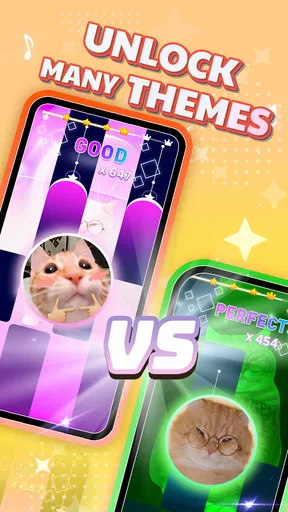
One feature I particularly enjoyed is the variety of songs available. You’re not stuck playing the same tune over and over. Instead, you can choose from a rich library that’s constantly updated. Whether you’re in the mood for a fast-paced pop song or a calming classical piece, Piano Tap has got you covered. And if you’re competitive like me, the game’s leaderboard will keep you striving for that top spot.
Design and Sound Quality
Visually, the game is a treat. The graphics are crisp, and the animation is smooth, which is crucial for a game that relies heavily on timing and precision. But what truly stands out is the sound quality. The music is clear and immersive, making you feel as if you’re actually playing the piano. The developers have done a fantastic job ensuring that the audio is top-notch, which enhances the overall gaming experience.
User Experience and Accessibility
Let’s talk about user experience. Piano Tap: Rush Song Game is designed to be user-friendly. The controls are intuitive, and the touch response is precise, which is crucial for a rhythm-based game. Moreover, the game doesn’t bombard you with ads, allowing you to enjoy uninterrupted sessions. However, there are in-app purchases available if you’re looking to unlock additional songs or features.
The game is accessible to players of all ages. Whether you’re a seasoned gamer or just someone looking to kill some time, you’ll find it easy to pick up and hard to put down. The difficulty levels are well-balanced, ensuring that both beginners and advanced players can enjoy the game.
Final Thoughts
In conclusion, Piano Tap: Rush Song Game is a delightful blend of music and gaming. It’s perfect for those moments when you want to unwind and immerse yourself in a world of rhythm and melody. The variety of songs, combined with its simple yet challenging gameplay, makes it a must-try for any music lover.
If you’re ready to test your reflexes and groove to some great tunes, give Piano Tap a download. You might just find yourself tapping along for hours on end, lost in the music and the fun. Happy tapping!
Choosing it over other rhythm games
Compared with rhythm games that ask me to learn a large set of controls, follow a story, or build a collection of characters, this one’s appeal is the immediate tap-to-the-beat loop. That simplicity can be a welcome break from games with layers of menus and progression systems. On the other hand, players who want deeper customization, a competitive community, or a more demanding skill ceiling may prefer a rhythm title designed around those priorities. I’d pick this for accessible music play, not as a replacement for every kind of rhythm game.
One useful way to judge the song selection is to try tracks across the styles that interest you, rather than deciding from the first song alone. Familiarity can make timing feel easier, while a new or less familiar tune can expose whether you enjoy the tapping itself. If I’m struggling, I’d switch to a song whose beat I can follow comfortably, then return to a faster one once I’m settled. That makes song choice part of the challenge, not just background decoration.
Who is likely to enjoy it?
I’d recommend it most to casual players who enjoy anime, EDM, or short-form pop trends and want a game they can understand immediately. The Everyone age rating makes it suitable for a broad audience, while its uncomplicated core action can work for first-time rhythm-game players as well as people who already enjoy tapping games. It is free to play, and its current version is 2.1.0; it has a 4.8 average from around 1.1 thousand ratings and over 100 thousand installs, which suggests that plenty of players have given it a try.
The release date is March 20, 2026, and the minimum operating system listed for the game is version 7.0. I’d check that my device meets that requirement before installing. The practical question after that is whether I want a reflex game or something more educational: this is for the former. Someone hoping to learn to play piano should look for lessons and guided practice instead of expecting tile tapping to teach technique.
Small habits that make sessions better
When I’m playing for a score, I’d avoid switching rapidly between tracks just because one feels difficult. Repeating a song gives me a chance to learn its rhythm and notice where my timing slips; then I can decide whether I’m improving or simply memorizing a pattern. If the game’s leaderboard motivates me, I’d use it as a personal benchmark rather than letting a ranking turn a casual session into pressure. That keeps the competitive element enjoyable even when I’m not near the top.
I’d also treat audio as part of the control experience. If the surroundings are loud, relying on visual timing alone may make a music game less satisfying, so I’d play somewhere I can hear the track clearly when possible. Conversely, if I need to keep the volume low, I’d first see whether the visual cues are enough for me to follow comfortably. These small choices help answer a common practical question: it can fit into a break, but it works best when the player can focus on the beat and screen.
A balanced recommendation
There are a few reasons I wouldn’t recommend it to everyone. The same direct mechanic that makes it approachable can become repetitive if I want a wide range of game systems, and the rising pace may frustrate someone who prefers relaxed, forgiving play. Its appeal also depends on liking the musical direction; a player who wants mostly instrumental classics or realistic keyboard play may not find this the right match. I’d skip it in those cases and choose a game or music app built for that specific purpose.
For the right person, though, the focused design is a strength. I can see myself opening it when I want a small burst of concentration, choosing a track that matches my mood, and stopping after a few attempts rather than settling into a long session. The combination of a clear tapping premise and music-led energy makes it easy to recommend to friends who enjoy casual rhythm challenges. I’d try it for that reason, while keeping expectations grounded: it’s a game about timing and songs, not piano training or a full music platform.
Pros
- Engaging rhythm gameplay.
- Wide variety of songs.
- Intuitive touch controls.
- Offline play available.
- Frequent updates with new tracks.
Cons
- Ads can be intrusive.
- Limited song selection initially.
- In-app purchases are pricey.
- Requires precise timing.
- No multiplayer mode.
FAQs for Piano Tap: Rush Song Game
What is Piano Tap: Rush Song Game?
Piano Tap: Rush Song Game is a dynamic music-based arcade game designed for both Android and iOS platforms. Players tap the black tiles as they appear in rhythm with popular songs, aiming to achieve the highest score possible. The game offers various difficulty levels and an extensive song library to keep players engaged.
Do I need an internet connection to play Piano Tap: Rush Song Game?
While Piano Tap: Rush Song Game can be played offline, having an internet connection enhances the experience. Online connectivity allows you to download additional songs, compete with friends on leaderboards, and receive updates. However, the core gameplay is fully accessible without internet access.
Is Piano Tap: Rush Song Game suitable for children?
Yes, Piano Tap: Rush Song Game is suitable for children, offering an entertaining and educational experience. The game helps improve hand-eye coordination and rhythm recognition. However, it is advisable to monitor in-app purchases and ensure parental controls are enabled to prevent unintended spending.
Are there in-app purchases in Piano Tap: Rush Song Game?
Yes, Piano Tap: Rush Song Game includes in-app purchases. While the game is free to download and play, players can purchase additional songs, remove ads, and unlock premium features. It's important to manage these purchases through device settings to avoid unexpected charges, especially if children are playing.
How can I improve my score in Piano Tap: Rush Song Game?
To improve your score in Piano Tap: Rush Song Game, practice regularly to enhance your timing and accuracy. Familiarize yourself with the rhythm of songs and start with easier levels before progressing. Utilize power-ups strategically and aim to complete songs without missing any tiles for bonus points.


